14-Day CapCut Mastery Course
Start Making₹8,000–₹15,000Every Month With CapCut.
That is the target of this 14-day CapCut mastery course, built for complete beginners. Learn mobile editing in CapCut, finish real projects, build a portfolio and learn how to approach clients — all from your phone. And when you complete the course, we connect you with clients — a single project can pay back the fee, which is what makes it almost free.
one-time · Lifetime access · No prior experience needed
This is a realistic target for someone who finishes the 14 days and keeps practising and reaching out — not a guarantee. What you actually earn depends on your skill, your consistency, how much outreach you do, your market and the clients you work with.
- Target monthly income
- ₹8K–₹15K / monthTarget monthly income
- Days
- 14Days
- Editing Classes
- 10Editing Classes
- Client Classes
- 4Client Classes
- ₹8K–₹15K / month Target
- Clients After You Finish
- Weekly Live Support
- Mobile-First Learning
- CapCut Only · Mobile Only
The real problem
Watching tutorials won't make you a video editor.
Information is free and everywhere. What is missing is structure, practice and the confidence to actually reach out. That is the gap this program is built to close.
Endless tutorials, no progress
You have watched hours of editing content and still open a blank project not knowing what to do.
No idea what to practise
Without a structure you practise randomly, so nothing compounds into real skill.
Nothing to show
No portfolio means no proof, and no proof means nobody takes you seriously.
Scared to reach out
You do not know who to contact, what to say, or what happens if they say no.
No clue what to charge
So you either quote nothing and feel used, or quote blindly and get ignored.
Learning without acting
The gap is never information. It is doing the work and actually sending the message.
How it works
A simple path from zero to your first outreach.
Four steps, repeated for fourteen days. Nothing clever — just the order that actually works.
- 01LEARNLearn CapCut fundamentalsShort, focused classes that teach only what you will actually use on real edits.
- 02PRACTICEComplete real editing exercisesEvery class has something to do. You learn by editing, not by watching.
- 03BUILDCreate portfolio-worthy projectsFinish real pieces you can show, not half-finished practice files.
- 04REACH OUTLearn how to approach potential clientsFind people to contact, open the conversation and follow up properly.
What's included
Everything you need for your first 14 days.
No filler modules and no software you will never open. Every part of this program exists because you need it to finish an edit and send a message.
10 Editing Classes
Practical CapCut editing training, structured day by day.
4 Client Classes
Client outreach, portfolio, pricing and freelancing basics.
Weekly Live Doubts
Ask questions, show your edits and get guidance.
Practical Projects
Learn by actually editing, with something to complete each day.
Portfolio Guidance
Build work you can confidently show potential clients.
Client Outreach
Learn how to start real conversations with potential clients.
14-day curriculum
Day by day, exactly what you will learn.
Ten editing days build the skill. Four client days turn that skill into work you can offer. Nothing is hidden before you buy.
- Day01
CapCut Fundamentals
EditingGet comfortable with the interface, project setup, importing media and the editing basics you will use every single day.
~25 min - Day02
Cutting, Timing & Pacing
EditingThe skill that separates beginners from editors. Where to cut, how long to hold a shot and how to build rhythm.
~25 min - Day03
Reels & Shorts Editing
EditingVertical-first editing: hooks, retention, safe zones and the structure short-form edits actually need.
~30 min - Day04
Text, Captions & Typography
EditingReadable captions, clean title animation and text that looks designed instead of default.
~25 min - Day05
Transitions & Effects
EditingTransitions that support the edit instead of showing off. Which ones to use, and which to avoid.
~25 min - Day06
Keyframes & Speed Ramping
EditingMotion, zooms, reveals and speed ramps — the techniques behind edits that feel expensive.
~30 min - Day07
Sound Design & Music
EditingBeat matching, sound effects, mixing levels and why audio decides whether an edit feels professional.
~25 min - Day08
Color & Visual Style
EditingCorrecting footage, building a consistent look and developing a visual style clients can recognise.
~25 min - Day09
Advanced Reel Project
EditingA full guided reel using everything from days 1 to 8. You edit alongside the class.
~40 min - Day10
Complete Portfolio Project
EditingBuild one finished, client-standard piece from start to export — the centrepiece of your portfolio.
~45 min - Day11
Finding Potential Clients
ClientWhere potential clients actually are, which niches to target and how to build a realistic outreach list.
~25 min - Day12
Client Outreach
ClientHow to open a conversation, what to send, what to never send, and how to follow up without being annoying.
~30 min - Day13
Portfolio & Pricing
ClientPresenting your work, packaging what you offer and thinking clearly about what to charge as a beginner.
~30 min - Day14
Your First Client Action Plan
ClientLeave with a written plan: who you contact, what you send, how you track replies and what you do next.
~25 min
Class lengths are estimates and may change as classes are recorded.
Bonus field talks
The things nobody explains to a beginner.
Short, honest talks about how this field actually works — included with the program at no extra cost.
How the editing industry actually works
Who hires editors, how work flows and where beginners realistically fit in.
How beginners improve fastest
What to practise, how to self-review your edits and how to avoid plateauing.
Client communication
Setting expectations, asking the right questions and sounding professional.
Handling revisions
Revision rounds, scope creep and keeping a project from dragging on forever.
Building confidence
Sending the first message and dealing with silence or rejection.
A professional mindset
Deadlines, reliability and the habits that make clients come back.
Common beginner mistakes
The errors that make an otherwise good edit look amateur.
Continuing after 14 days
How to keep building skills and momentum once the program ends.
After you finish
Finish the course and we bring you clients.
When you complete all 14 days, we connect you with clients looking for editing work. A single project of that kind typically pays more than the course itself — which is what makes the fee close to free in practice.
- Step 01
Finish all 14 days
Complete every class and its assignment. Introductions start once the program is done, because that is the point at which you can actually deliver a project.
- Step 02
Show us your portfolio
Submit the projects you built during the program. We look at them and tell you honestly whether they are ready, and what to fix if they are not.
- Step 03
We introduce you to clients
We connect you with people looking for editing work and back you up while you talk to them. You agree the rate directly with the client.
- Step 04
One project can cover the fee
Editing projects of this kind usually pay more than the course costs, which is what makes the fee close to free once you are working.
Why the course is almost free
You pay ₹2,999₹49983% off once. One client project after the program can pay that back on its own, and the target from there is ₹8,000–₹15,000 a month.
Introductions are made after you complete the course and have work worth showing. We introduce you and support you — we cannot force a client to hire you, and project rates are agreed between you and the client. This is a realistic target for someone who finishes the 14 days and keeps practising and reaching out — not a guarantee. What you actually earn depends on your skill, your consistency, how much outreach you do, your market and the clients you work with.
Weekly live doubt classes
Don't get stuck. Get help.
Recorded classes teach you the skill. The live sessions are where the things that are actually blocking you get sorted out.
Every Sunday · 8:00 PM IST
Session dates and join links are posted in your dashboard. Schedule may change occasionally; you will be notified in advance.
Ask anything
Stuck on a transition, an export setting or a client message? Bring it to the call.
Get your edits reviewed
Show your work and hear specifically what to change and why.
Learn from other questions
You will hit the same problems as everyone else. Hearing them answered saves you days.
The 14-day shift
Where you start, and where you stand on day 14.
Fourteen days changes what you can produce and what you can offer. ₹8,000–₹15,000 a month is the target on the other side of it, and reaching it depends on the work you keep doing after day 14.
- DAY 1
“I don’t know where to start.”
- DAY 5
“I can edit.”
- DAY 10
“I can create client-style work.”
- DAY 14
“I have finished, so my client introductions begin.”
- AFTER
“I’m editing paid projects and aiming for ₹8K–₹15K / month.”
This is a realistic target for someone who finishes the 14 days and keeps practising and reaching out — not a guarantee. What you actually earn depends on your skill, your consistency, how much outreach you do, your market and the clients you work with.
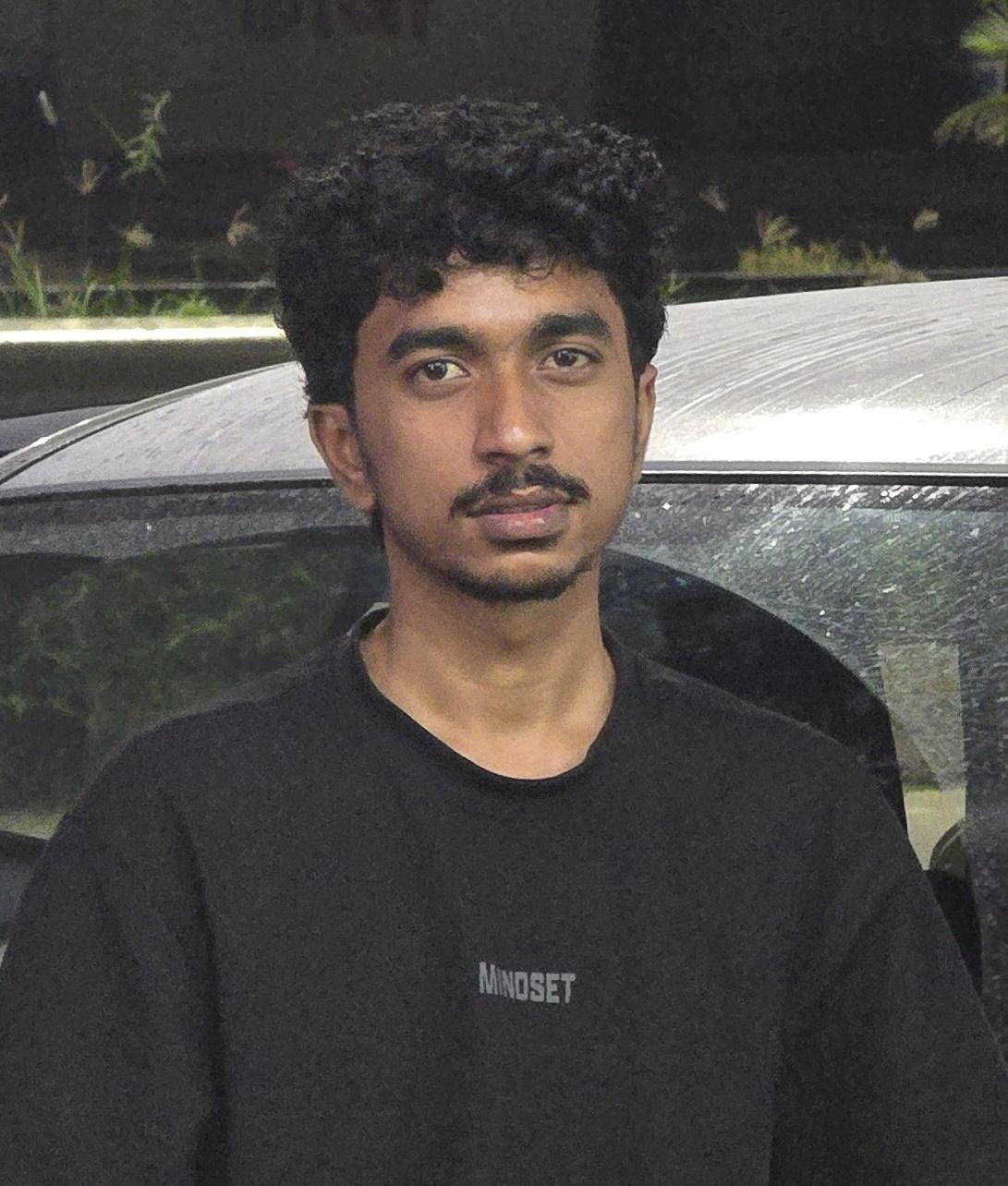
Your instructor
Learn from someone who actually edits.
Suraj Tiwari
Video Editor & Content Creator
I have spent over four years editing video and building content for social media, and these days that skill set alone is what I earn from. I built this program because the fundamentals that got me here are genuinely learnable in two weeks on a phone — what takes most beginners years is not the editing, it is never being shown what to practise or how to approach a client.
“I make ₹2–3 lakh every month using social-media skills alone.”
- Short-form reels and CapCut editing
- Social-media content strategy
- Brand and creator collaborations
- Client work, pricing and delivery
Student words
Real feedback goes here.
No invented reviews and no stock faces. This section stays as placeholders until real students have finished the program and agreed to be quoted.
placeholderTestimonials in lib/content/marketing.ts to publish real testimonials, then remove this notice.PLACEHOLDER — Replace with a real student testimonial. Keep the before/after shape: where they started, and what they could do by day 14.
Student name
Role / city
PLACEHOLDER — Replace with a real student testimonial. A specific detail (a project they finished, a client they messaged) is far more convincing than praise.
Student name
Role / city
PLACEHOLDER — Replace with a real student testimonial. Video testimonials are supported too: add a video URL and this card becomes a playable clip.
Student name
Role / city
Enrollment
One payment. The whole program.
No subscription, no upsells inside the course, no hidden add-ons — and the target on the other side of it is ₹8,000–₹15,000 a month.
EpicVision 14-Day CapCut Program
₹2,999₹49983% offOne-time payment · lifetime access
- 10 practical CapCut editing classes
- 4 client, outreach and freelancing classes
- Weekly live doubt-solving sessions
- Practical assignments for every stage
- Portfolio guidance and project briefs
- Client outreach and pricing training
- Bonus field talks from the industry
- Lifetime access to all recordings
- Client introductions once you finish all 14 days
One client project after the program can pay this back on its own.
Secure payment via Razorpay. We never see or store your card details. Read the refund policy before you pay.
This is a realistic target for someone who finishes the 14 days and keeps practising and reaching out — not a guarantee. What you actually earn depends on your skill, your consistency, how much outreach you do, your market and the clients you work with.
FAQ
Straight answers.
If something is not covered here, ask us before you pay — not after.
Still unsure? Contact us or email support@example.com.
What is this program?
A focused 14-day mobile video editing program built around CapCut. Ten classes teach you practical editing, four classes cover portfolio, pricing and client outreach, and weekly live sessions are there when you get stuck. It is structured as an action program, not a library of videos.
Can I really make ₹8,000–₹15,000 a month from this?
That range is the target the program is built around, and it is a realistic one for mobile editing work in India — but it is a target, not a guarantee. It assumes you finish all 14 days, actually build the portfolio projects, and keep approaching clients afterwards. What you end up earning depends on your skill, your consistency, how much outreach you do, your market and the clients you work with. This is a realistic target for someone who finishes the 14 days and keeps practising and reaching out — not a guarantee. What you actually earn depends on your skill, your consistency, how much outreach you do, your market and the clients you work with.
Why is it only ₹499? What is the catch?
There is no catch, and nothing is held back for a paid upgrade. The regular price is ₹2,999 and ₹499 is the current discounted price — you get all 14 days, every assignment, the weekly live sessions, the bonus talks and lifetime access to the recordings. The price is low deliberately: the intent is that a single editing project after the program pays it back several times over, which is what makes it close to free in practice.
Do I need previous editing experience?
No. It starts from the fundamentals and assumes you have never opened an editing app. If you already edit a little, the early days will move quickly and the client classes will still be new.
Which editing software do I need?
CapCut. That is the only editing app used in this version of the program. It is free to install, and the entire 14 days is taught in it. Premiere Pro, After Effects and DaVinci Resolve are not covered.
Can I learn using a phone?
Yes — that is the whole point. The program is built for mobile editing, so a smartphone is all you need. The website and student dashboard are designed to be used comfortably on a phone too.
Start making ₹8,000–₹15,000 every month with just a 14-day CapCut course.
Learn. Practice. Build. Get introduced to clients.
one-time · 14 days · Starts the moment you join
This is a realistic target for someone who finishes the 14 days and keeps practising and reaching out — not a guarantee. What you actually earn depends on your skill, your consistency, how much outreach you do, your market and the clients you work with.